
Published on BuildGenAIHub | Category: Generative AI Tools & Tutorials
Introduction
Let’s be honest there are only 24 hours in a day, and it never feels like enough.
Whether you’re a student drowning in assignments, a developer juggling multiple projects, or a professional trying to keep up with a never-ending to-do list, staying productive is one of the biggest challenges of modern life.
The good news? Artificial Intelligence is here to help and you don’t need to spend a single rupee (or dollar) to get started.
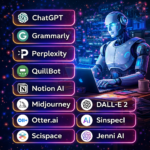
In 2026, free AI tools for productivity have become incredibly powerful. They can write for you, plan for you, code for you, design for you, and even search the web smarter than any search engine ever did. The best part? Most of them are free.
In this guide, we’ll walk you through the top 10 free AI tools for productivity in 2026 what they do, who they’re for, and how you can start using them today.
What Are AI Productivity Tools?
AI productivity tools are software applications powered by artificial intelligence that help you complete tasks faster, smarter, and with less effort.
Instead of doing everything manually, these tools automate repetitive work, help you think through problems, generate content, organize information, and even learn new skills all in seconds.
Think of them as a smart assistant that never sleeps, never gets tired, and is always ready to help.
Benefits of AI Tools for Productivity
Here’s why millions of people around the world are using AI productivity tools every single day:
- Save time : Complete tasks in minutes that used to take hours
- Reduce errors : AI catches grammar mistakes, logic errors, and inconsistencies
- Boost creativity : Get instant ideas, outlines, and drafts when you’re stuck
- Work smarter : Focus on high-value tasks while AI handles the routine stuff
- Learn faster : AI can explain complex topics in simple, easy to understand language
- Stay organized : AI helps you plan, prioritize, and track your goals
Whether you’re a student, freelancer, developer, or business professional, these tools can genuinely change how you work.
Top 10 Free AI Tools for Productivity in 2026
1. 🤖 ChatGPT (OpenAI)
Best for: Writing, brainstorming, coding, answering questions
ChatGPT remains one of the most versatile generative AI tools available in 2026. It can write essays, debug code, summarize documents, explain concepts, draft emails, and much more — all through a simple chat interface.
Use case for students: Ask ChatGPT to explain a difficult concept like machine learning in simple terms, or use it to outline your next research paper.
Use case for developers: Paste a buggy piece of code and ask ChatGPT to find the error and fix it. It supports Python, JavaScript, SQL, and dozens of other languages.
🔗 Free plan available at: chat.openai.com
2. 📝 Notion AI
Best for: Note-taking, project management, writing assistance
Notion AI is built directly into the Notion workspace. It can summarize long meeting notes, generate action items, write content, translate text, and help you organize your thoughts — all without leaving your workspace.
Use case for students: Paste your lecture notes and ask Notion AI to summarize the key points into a bulleted study guide.
Use case for developers: Use it to document your codebase or auto-generate project wikis from rough notes.
🔗 Free plan available at: notion.so
3. ✍️ Grammarly
Best for: Writing, grammar checking, tone improvement
Grammarly is the go-to AI tool for work when it comes to professional writing. It checks grammar, spelling, and punctuation in real time, and also gives suggestions on clarity, tone, and engagement.
Use case for students: Run your assignment or college application essay through Grammarly before submitting it’ll catch errors you’d otherwise miss.
Use case for developers: Writing technical documentation or README files? Grammarly ensures your writing is clear and professional.
🔗 Free plan available at: grammarly.com
4. 🔍 Perplexity AI
Best for: Research, fact-checking, web search with citations
Perplexity AI is like a smarter, AI-powered search engine. Instead of giving you ten blue links, it reads the web and gives you a clear, concise answer — with sources cited. It’s one of the best free AI tools for anyone who does a lot of research.
Use case for students: Use Perplexity to research a topic for your thesis. It pulls information from multiple sources and shows you exactly where each fact comes from.
Use case for developers: Quickly look up documentation, compare frameworks, or understand a new technology without reading ten different articles.
🔗 Free plan available at: perplexity.ai
5. 🎨 Canva AI
Best for: Design, presentations, social media graphics, video
Canva has integrated powerful AI features that let you generate images, remove backgrounds, resize designs automatically, and even write copy for your visuals. You don’t need to be a designer to create professional-looking content.
Use case for students: Create a stunning presentation for your class project in under 10 minutes using Canva’s AI-powered templates and Magic Design feature.
Use case for developers: Design a clean UI mockup, app icon, or pitch deck for your side project without hiring a designer.
🔗 Free plan available at: canva.com
6. 💻 GitHub Copilot (Free Tier)
Best for: Coding, code completion, debugging
GitHub Copilot is an AI coding assistant that suggests entire lines or blocks of code as you type. In 2026, GitHub offers a free tier for individual developers, making it one of the most powerful AI tools for work in the development world.
Use case for developers: Start typing a function name and Copilot will auto-complete the entire logic based on context. It dramatically speeds up development.
🔗 Free plan available at: github.com/copilot
7. 🧠 Google Gemini
Best for: Multimodal tasks, document analysis, brainstorming
Google Gemini is Google’s powerful AI assistant that can understand text, images, PDFs, and even Google Workspace files. It integrates with Gmail, Docs, and Sheets, making it an excellent productivity booster for everyday tasks.
Use case for students: Upload a PDF textbook chapter and ask Gemini to summarize it or generate quiz questions from it.
Use case for developers: Use Gemini to analyze error logs, explain API documentation, or generate unit tests.
🔗 Free plan available at: gemini.google.com
8. 🗂️ Mem AI
Best for: Personal knowledge management, meeting notes, smart search
Mem AI automatically organizes your notes and makes them searchable using AI. It can link related ideas, summarize your past notes, and even remind you of relevant information at the right time.
Use case for students: Store all your class notes in Mem and use its smart search to find exactly what you need before an exam.
Use case for developers: Keep track of code snippets, ideas, and meeting takeaways and search them instantly with natural language.
🔗 Free plan available at: mem.ai
9. 🎙️ Otter.ai
Best for: Transcription, meeting summaries, voice notes
Otter.ai uses AI to transcribe spoken words in real time. It records meetings, interviews, or lectures and turns them into readable, searchable text with speaker labels and summaries.
Use case for students: Record your professor’s lecture and get an accurate transcript you can review and highlight later.
Use case for developers: Transcribe team standups or client calls and get automatic action items and summaries.
🔗 Free plan available at: otter.ai
10. 🌐 Claude (Anthropic)
Best for: Long-form writing, document analysis, thoughtful reasoning
Claude is a powerful AI assistant known for producing high-quality, nuanced, and detailed responses. It handles long documents, answers complex questions, writes code, and helps with analysis making it one of the top generative AI tools of 2026.
Use case for students: Upload a research paper and ask Claude to extract the main arguments, methodology, and conclusions in simple language.
Use case for developers: Use Claude to review your architecture decisions, write technical documentation, or generate detailed test cases.
🔗 Free plan available at: claude.ai
Applications of AI Productivity Tools
The real-world applications of these AI productivity tools go far beyond what you might expect:
- Education: Summarizing textbooks, generating quizzes, explaining complex concepts, helping with writing
- Content creation: Writing blog posts, social media captions, scripts, and newsletters
- Software development: Code completion, debugging, test generation, documentation
- Business operations: Drafting emails, creating reports, managing projects, automating workflows
- Research: Finding information, cross-referencing sources, organizing findings
- Design: Generating visuals, creating presentations, building prototypes
- Communication: Translating languages, improving tone, summarizing long conversations
No matter your field or profession, there is at least one AI tool on this list that can make your day easier.
The Future of AI in Productivity
The pace of AI development is only accelerating. Here’s what to expect in the near future:
Deeper integration. AI will be embedded in every app you already use email, spreadsheets, calendars, browsers, and more. You won’t need to switch tools; AI will come to you.
Personalized AI assistants. Future AI tools will learn your working style, preferences, and goals over time giving recommendations that feel truly tailored to you.
Agent-based automation. AI “agents” will be able to take multi-step actions on your behalf booking meetings, researching topics, writing reports, and sending follow-ups without any manual input from you.
Multimodal everything. The best AI tools will work seamlessly across text, voice, image, and video making interaction more natural and intuitive.
The future is not about replacing humans it’s about amplifying what humans can do. The people who learn to use these tools well will have a serious advantage in every field.
Conclusion
We’re living in one of the most exciting times in human history when it comes to productivity tools. The best free AI tools for productivity in 2026 from ChatGPT and Grammarly to Perplexity AI and GitHub Copilot give everyone access to capabilities that once required entire teams.
Whether you’re a student trying to study smarter, a developer trying to ship faster, or a professional trying to get more done in less time, these tools are genuinely worth exploring.
The best part? You can start today, for free.
Pick one tool from this list, try it for a week, and see how it changes your workflow. Once you feel the difference, you’ll never go back.
Frequently Asked Questions (FAQ)
Q1. Are these AI productivity tools really free? Yes! All the tools listed in this article have a free plan that lets you get started without any payment. Some offer paid upgrades for advanced features, but the free versions are genuinely useful for most everyday tasks.
Q2. Which AI tool is best for students? ChatGPT, Perplexity AI, and Google Gemini are excellent starting points for students. ChatGPT helps with writing and explanations, Perplexity is great for research with citations, and Gemini integrates well with Google Workspace tools many students already use.
Q3. Which AI tool is best for developers? GitHub Copilot is a must-try for developers it speeds up coding dramatically. Claude and ChatGPT are also great for debugging, code review, and writing technical documentation.
Q4. Are AI productivity tools safe to use for work or school? Generally, yes but always read the privacy policy before entering sensitive information. Avoid pasting confidential company data or personal information into public AI tools. For school, check your institution’s policy on AI usage before submitting AI-assisted work.
Q5. Do I need technical knowledge to use these tools? Not at all! Most of these tools are designed to be beginner-friendly. If you can type a question or describe what you need, you can use them. No coding or technical background required.
Found this helpful? Share it with a friend who’s trying to be more productive!
Explore more AI tools, tutorials, and resources at BuildGenAIHub your go-to hub for everything Generative AI.
Tags: free AI tools for productivity, best AI tools 2026, AI tools for work, AI productivity tools, generative AI tools, ChatGPT, Notion AI, Grammarly, Perplexity AI, Canva AI, GitHub Copilot, Google Gemini, Claude AI.



Leave a Reply